Cue to cue, for real shows
The show caller’s home base.
Build or import the run of show, call it live, and every crew device locks to the caller’s current cue. No more radio check-backs, no more “what page are we on?” — the whole crew is looking at the same line you are.
How it works
Three steps from spreadsheet to show call
01
Build it — or bring it
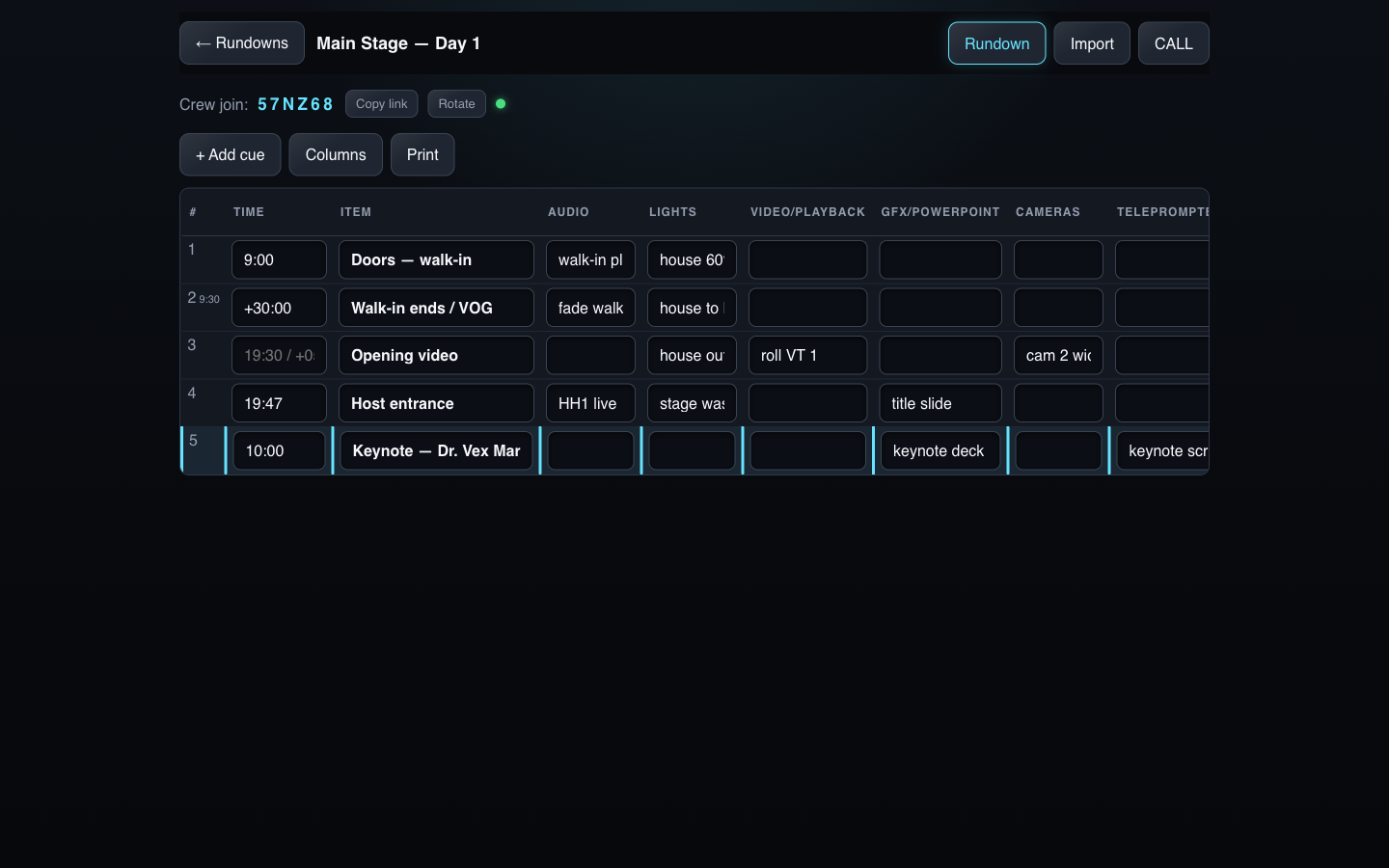
A rundown editor with the department columns you actually use — Audio, Lights, Video, GFX, Cameras, Teleprompter, Speaker Timer, Notes, or your own set. Hard times anchor the day; chained offsets (“+05:00”) project real clock times for everything between. Already have the stage manager’s spreadsheet? Import it — xlsx, xls, or CSV — through a column-mapping wizard that guesses the headers for you.
02
Call the show
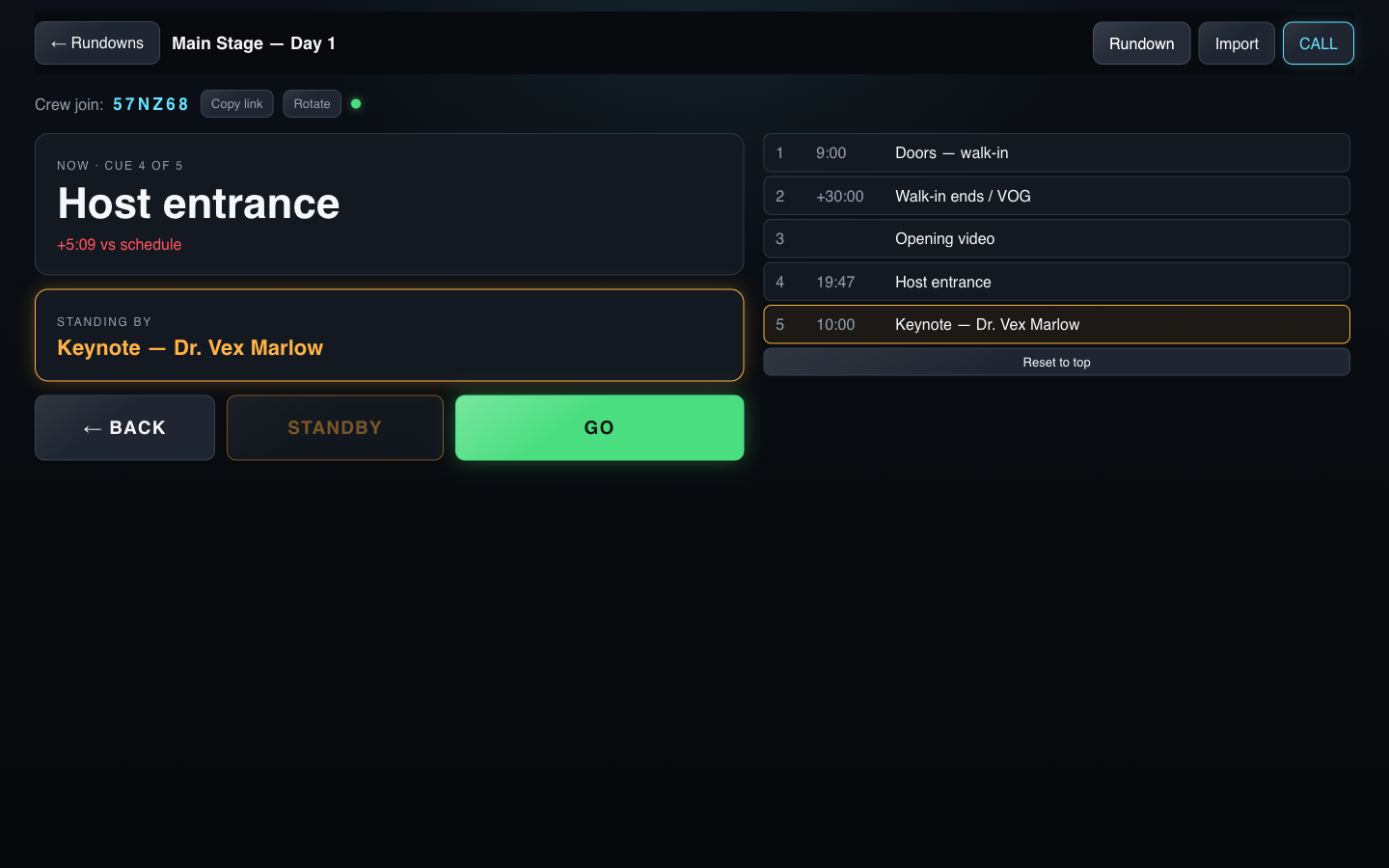
STANDBY arms the next cue — every crew device goes amber. GO commits it. Need to jump? Tap any row and stand it by out of order. A schedule-drift readout keeps you honest about how far ahead or behind the day is running.
03
The crew locks on
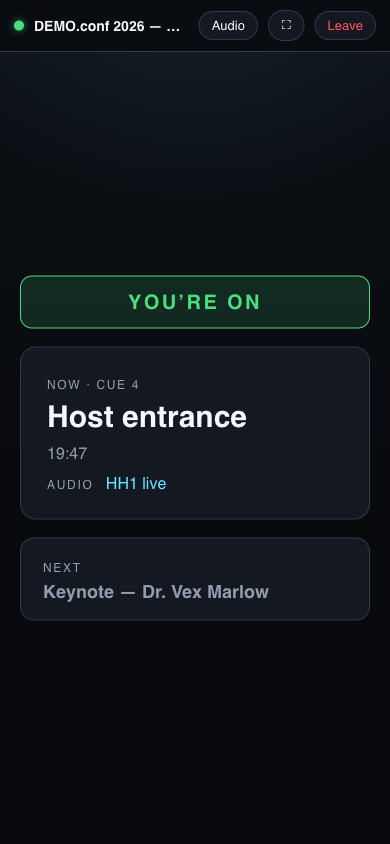
Crew joins with a six-character code, picks a department once, and the phone becomes a locked follower: fullscreen, screen held awake, accidental swipes trapped. When the live cue has something in your column, the screen tells you — YOU’RE ON.
On the devices
The caller's console and the crew's lock screen
What's in the box
Made for the way shows actually run
Department columns, your way
Default set for conference and corporate shows; add, remove, and rename to match your crew sheet.
Spreadsheet in, rundown out
Upload or paste the run of show you already have. Mapping wizard, 12-hour time cleanup, replace or append.
STANDBY / GO calling
The two words every crew knows, made digital: amber standby on every device, GO commits, any row callable out of order.
Locked crew view
Fullscreen, wake-locked, swipe-trapped. A phone that stays on the show and can’t wander off it.
Schedule drift, visible
Projected times against the clock — see the day slipping before it becomes a problem.
Paper, when someone insists
Print and PDF output of the full rundown, because there’s always one clipboard on every show.
Q2Q runs on the shared Blackbird show platform — the same show database behind our signage, timing, and audio tools. On the roadmap: cues that fire the speaker timer by themselves.
See a show called live
Twenty minutes: we build a rundown from your spreadsheet, call a few cues, and hand you a phone that locks to the show. Bring your gnarliest run of show.
Book a walkthrough